610 Scouting App 2026
The Android app our six scouts use to record every robot in a match. It works offline and syncs across the team's tablets.
One of the main developers on a shared team codebase · 2026
Overview
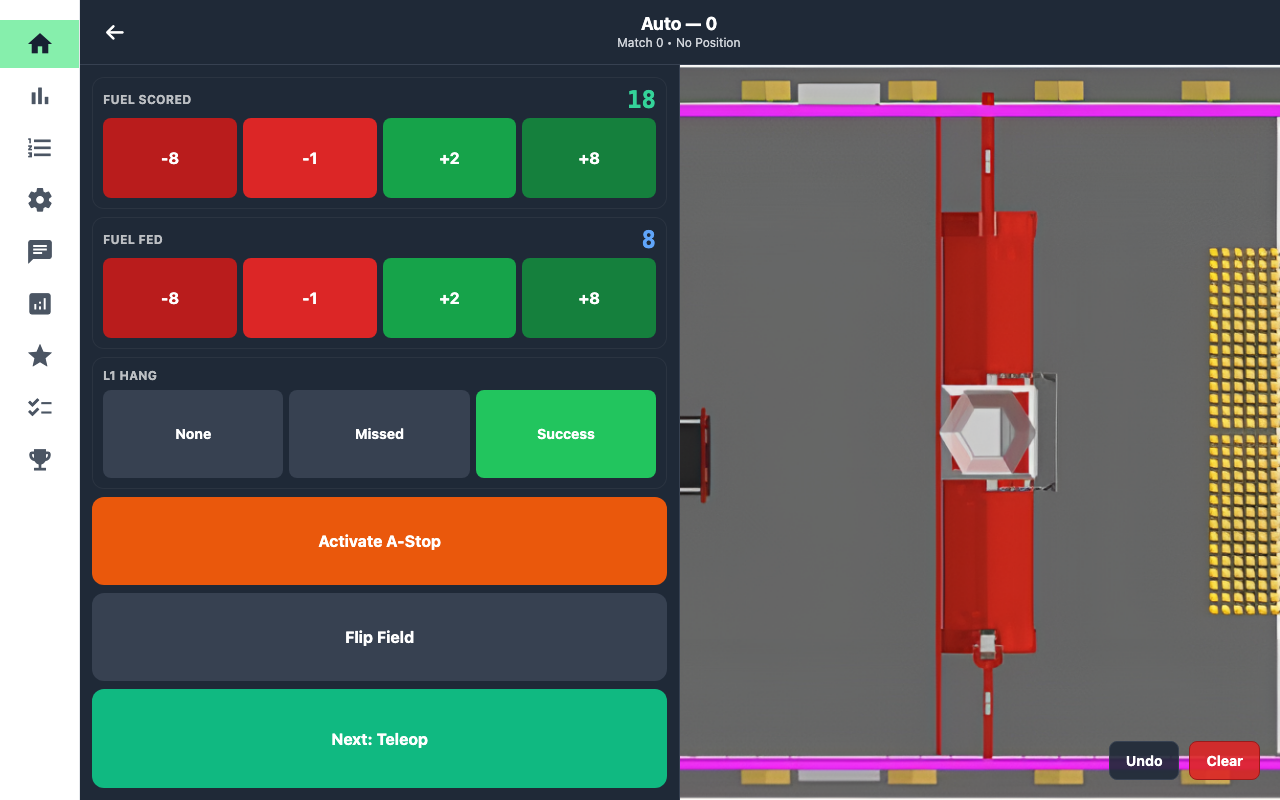
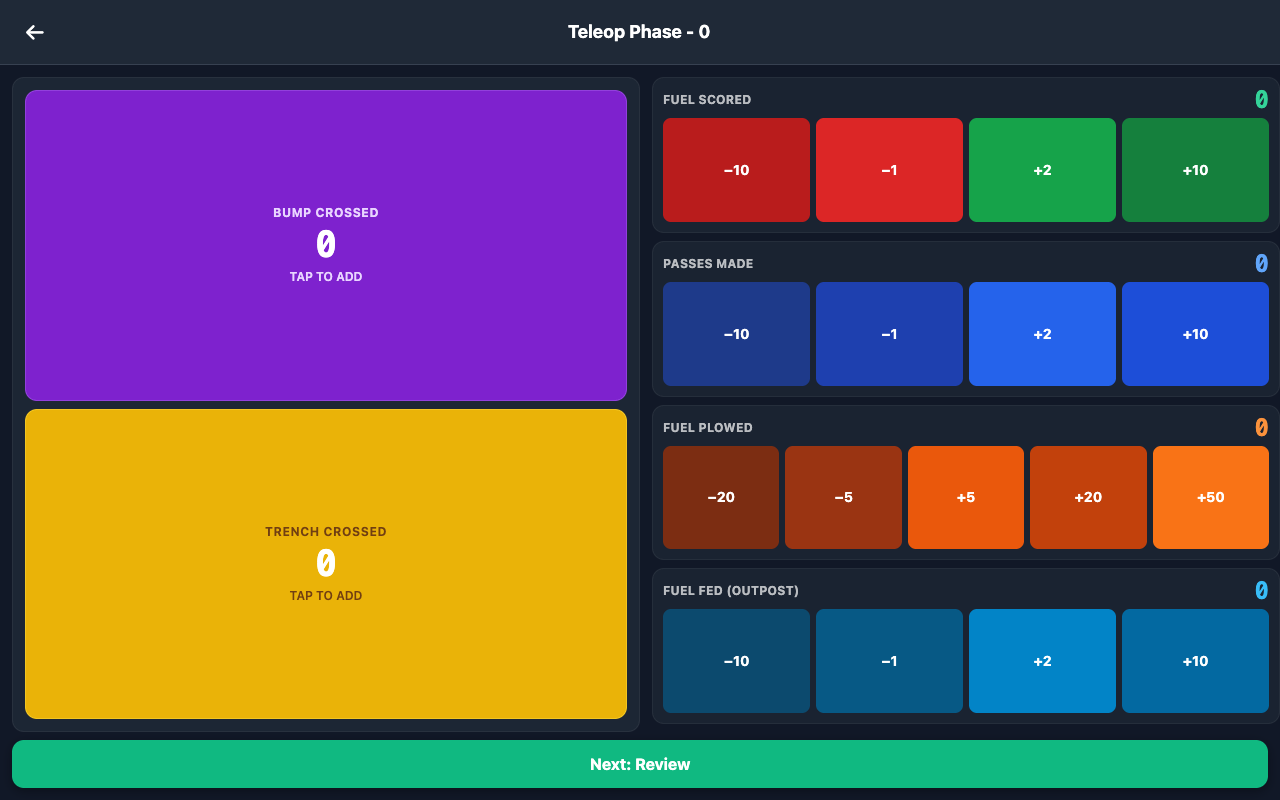
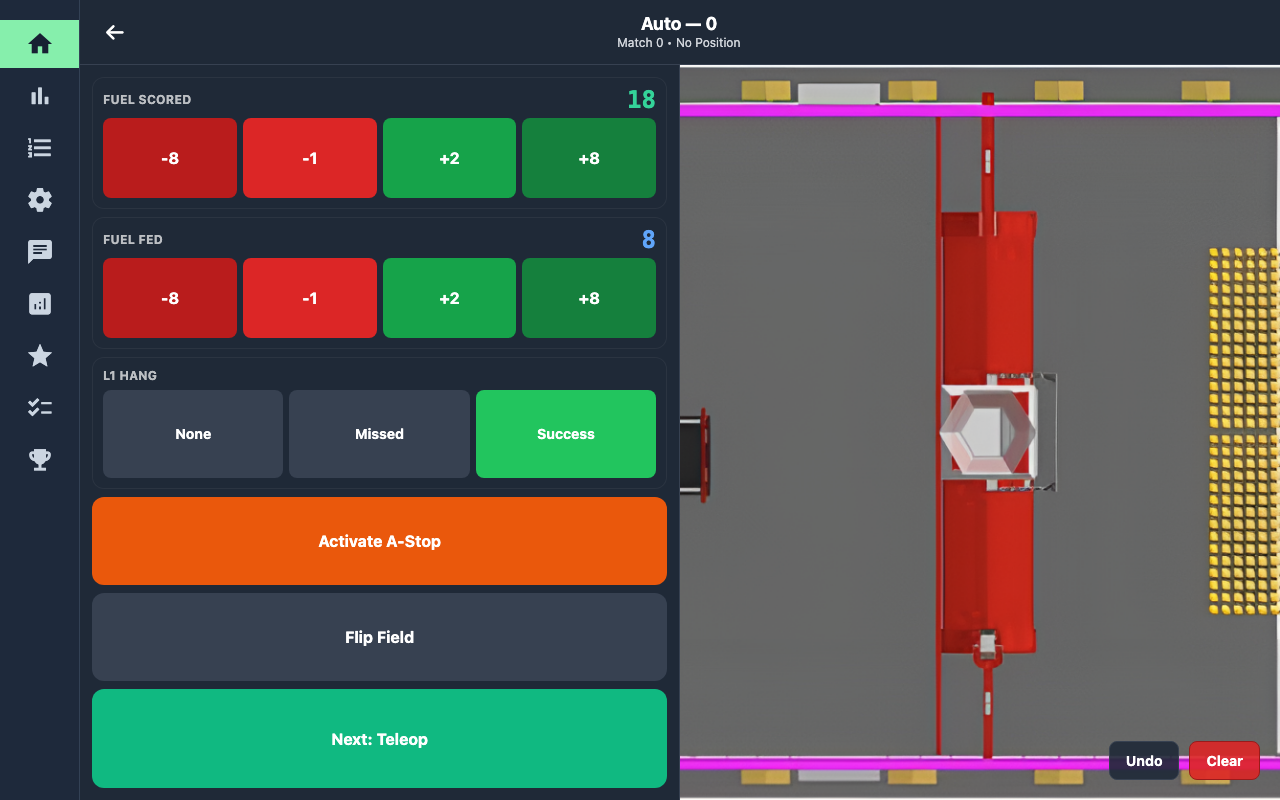
The match scouting app FRC Team 610 used for the 2026 season. Scouts run it on Android tablets during qualification matches; each one follows a single robot and records its autonomous routine, teleop scoring, and endgame.
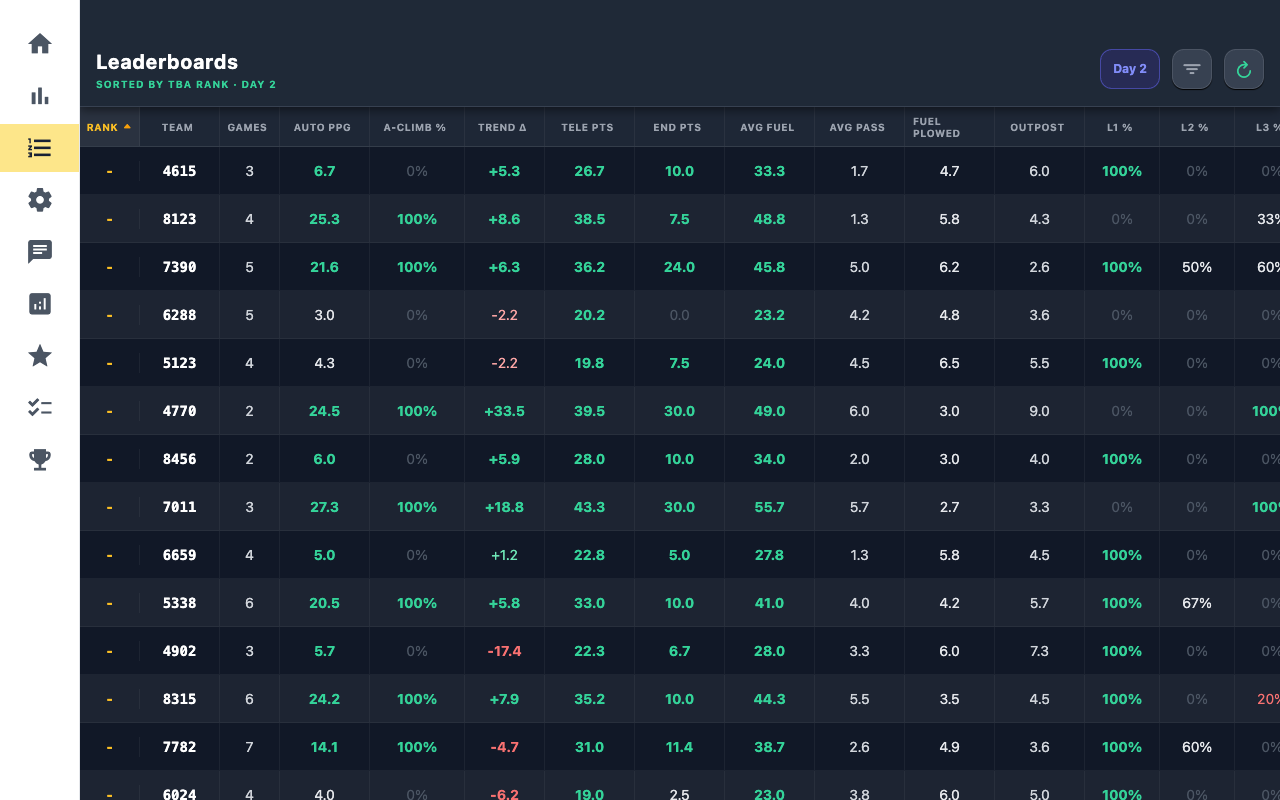
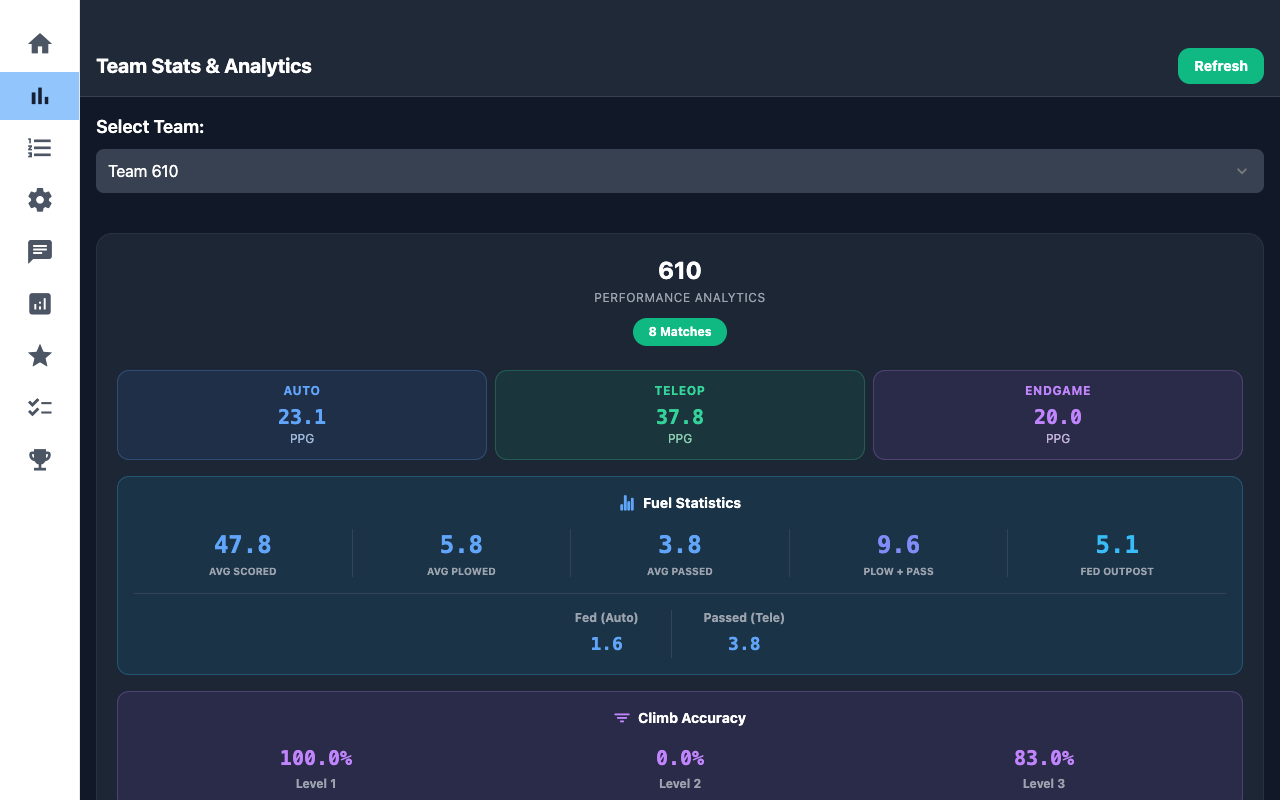
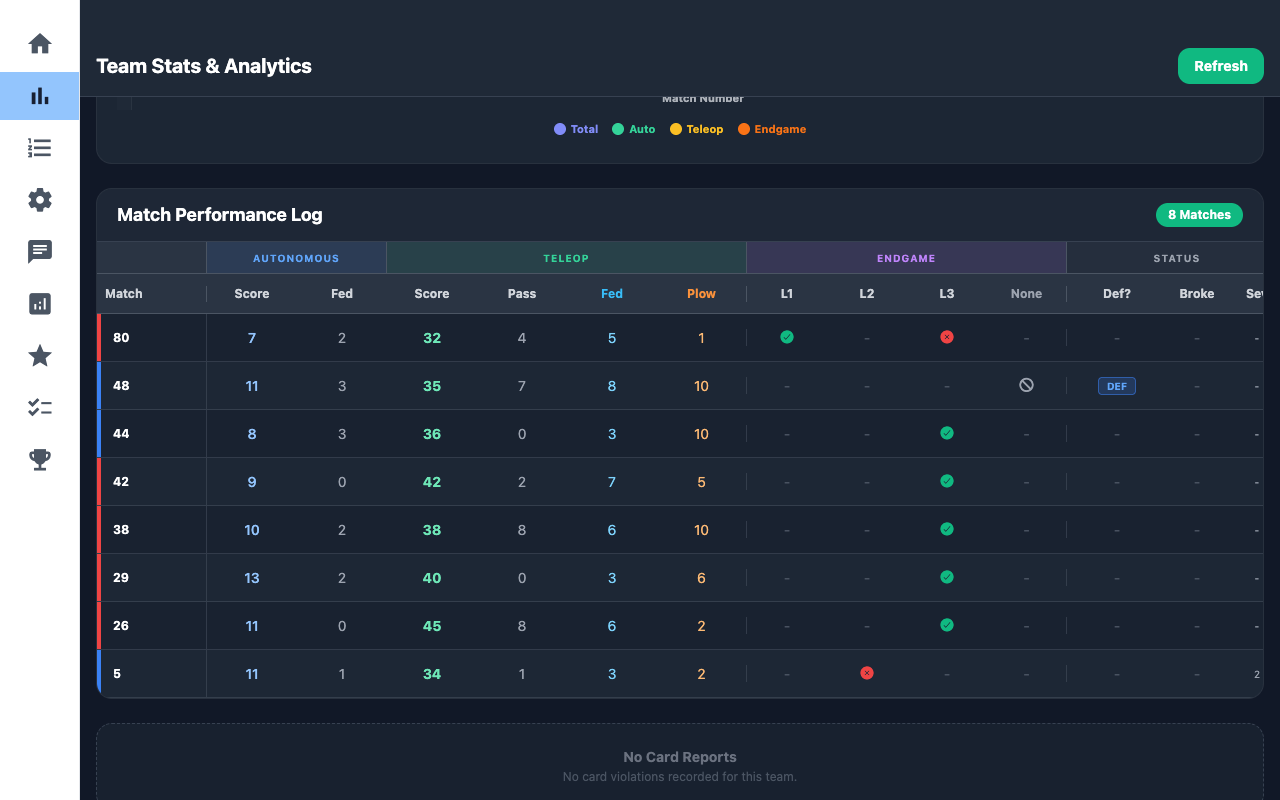
Every tablet writes to its own local database and syncs with the others through Couchbase Sync Gateway. The same app then turns that data into the views the strategy side uses during an event: per-team stats, sortable averages with a Day 1 / Day 2 split, box plots, match planning tools, scout coverage, and a picklist board for alliance selection.
Problem
Every qualification match has six robots on the field, and by alliance selection the team needs trustworthy data on all of them. That data has to be entered quickly by scouts watching a live match, it has to keep flowing without depending on whatever connection a venue offers, and it has to be usable during the event rather than after it.
What I did
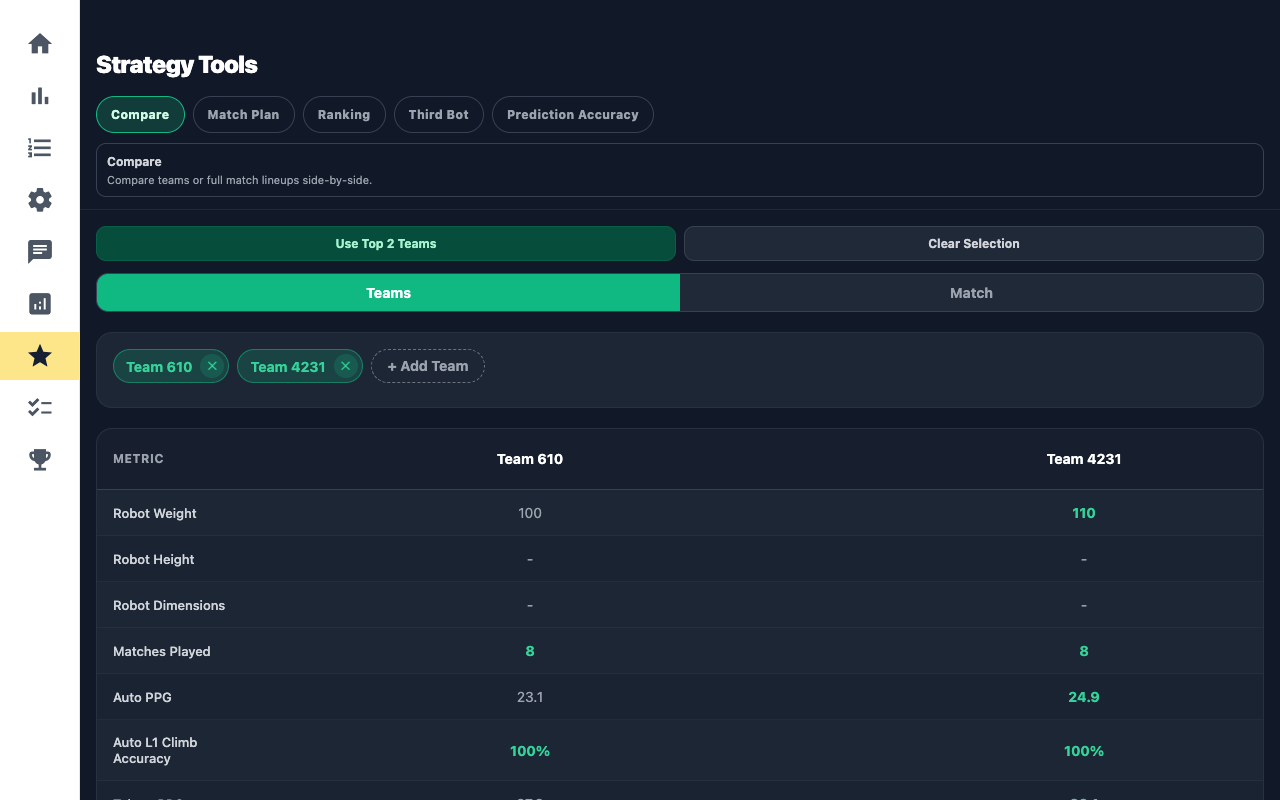
- Strategy tools: the third-robot selector, multi-team comparison and match review, and the match planning view.
- Robot betting, a match-prediction game for scouts stored as its own document type in Couchbase.
- Expert (pit) scouting with robot photos stored in the database and rendered on the stats pages.
- Correcting submitted data: picking a match that already has a record loads it for editing and re-submission, plus a way to clear a bad record.
- Workflow changes from scout feedback: highlighting a scout's assigned matches and teams, a reworked match selector, a flipped-field option for autos, and an emergency scout button.
- The web build's layout (a vertical navigation rail, typography, and spacing), its Vercel deployment, and a rewrite of the project documentation for future developers.
Built with
- TypeScript
- React Native
- Expo
- Couchbase Lite
- Sync Gateway
- NativeWind
- The Blue Alliance API
Architecture
Expo and React Native with file-based routing through Expo Router. Screens are grouped into tabs; the match flow is its own set of routes that share a single scouting-data object instead of passing props through five screens.
A service layer sits between the UI and the database: couchbase.ts handles initialization, replication, and document reads and writes; aggregateData.ts recomputes a team's rollups whenever a match for that team is submitted; matchPlanningUtils.ts holds the climb estimates and role generation used by match planning.
Couchbase Lite is a native module, so the Android app runs as an Expo development build rather than in Expo Go. For the web build, a couchbase.web.ts file, which Metro picks over couchbase.ts on web, talks to Sync Gateway's REST API with stale-while-revalidate caching.
The navigation adapts to the platform: a bottom tab bar on Android tablets, a resizable sidebar on wide web screens.
The app runs on 8-inch Amazon Fire HD tablets, so the interface was tuned for a small screen. Twelve scouts, paired one junior with one senior, work short shifts of six to eight matches, each watching a single robot.
- 01
Scout tablets
Six Android tablets, one robot each
- 02
Couchbase Lite
Local write, works offline
- 03
The Toaster
Network switch and LTE router, wired or wireless
- 04
Sync Gateway
Push and pull replication to every tablet
- 05
Analysis tabs
Stats, averages, box plots, picklist
The Blue Alliance API: Teams, schedules, rankings
The challenges
A network the team brings with it
Scouts can always submit because every write lands in the local database first. To keep tablets syncing, the team built the Toaster: a desktop network switch and a cellular LTE router in one box, powered from a wall outlet or a 12V FRC battery through an inverter. Tablets sync wirelessly or plug in over Ethernet, and the replicator pushes and pulls in the background on a 30-second heartbeat.
Fixing data after it's submitted
Scouts make mistakes mid-match. Rather than letting a second submission create a duplicate record, selecting an already-scouted match loads the existing document so it can be corrected and saved again.
Photos across devices
Robot photos from pit scouting are stored with the scouting documents so they replicate like any other data. Getting them to show up reliably on other devices, not just the one that took them, took several rounds of fixes, including a database authentication bug.
One codebase, two platforms
The same code ships as a native Android app and a web build. Platform-specific files keep the database layer separate while the screens stay shared.
Screenshots